Mac companion · Version 2.0.4
Your Mac carries the conversation.
Sync for free over Bluetooth with Snail Companion for Android while your phone is nearby. iOS is coming soon.
For Wi-Fi sync while your phone is elsewhere and online, or iMessage through an always-on Mac, add Snail Connect. New subscriptions cost $4.99/mo.
Snail Connect for Mac brings Snail Messages, Calendar, Reminders, Contacts, Sync, and TailTerm to an X3 or X4.
The Mac stays awake, online, signed into the Apple services you use, and running Snail Connect while the device syncs.
Reader, Browser, Weather, Store, games, and firmware updates need no subscription.
Download
Snail Connect for Mac 2.0.4
Apple Silicon Mac with macOS 14 or later.
Download Snail Connect for MacSet up
Seven steps from the box to your conversations.
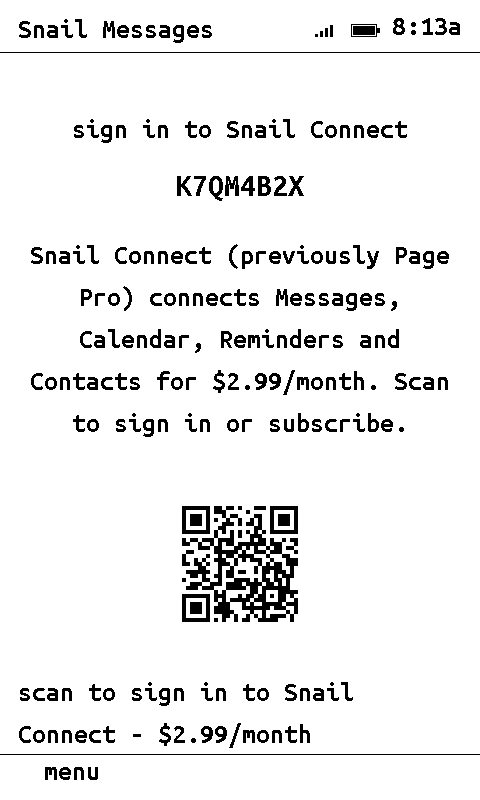
- On the device, open Snail Messages. It shows an eight-character code and a QR.
- Scan the QR with your phone. Sign in or create your account, then subscribe to Snail Connect. The device connects on its own.
- Download Snail Connect for Mac above. Unzip it and open install.command.
- In the Mac app, choose Log in. Sign in with the same account and pick your device.
- Under Permissions, choose Set up. Approve Messages, Calendar, Reminders, and Contacts, then turn on Full Disk Access for Snail Connect.
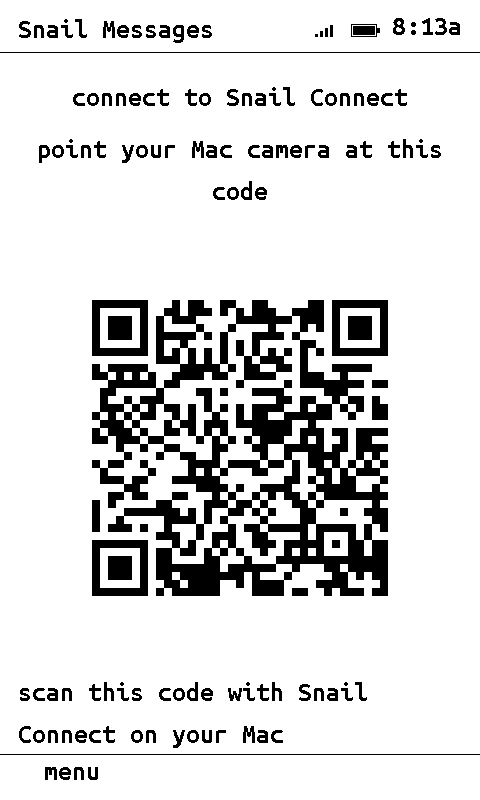
- Snail Messages on the device now shows a second QR. In the Mac app choose Scan and point the camera at it.
- Press OK on the device. Your conversations appear.
Full Disk Access is under System Settings → Privacy & Security. macOS requires the account owner to approve it.
Privacy
The device generates its own message key and hands it to your Mac only as the QR you scan. Your Mac encrypts every record with that key before it leaves. QRM identifies the Mac and carries the encrypted records through the relay. The server stores no messages, events, reminders, or contacts.
QRM is included in Snail Connect. There is no second app, VPN, inbound port, or router setup.
Common questions
Can anyone else read my messages?
No. Each device pairs to one account and one Mac. The server routes each device only to the Mac enrolled by the same account, and it routes encrypted records it cannot open.
Do you see my messages?
No. The server sees ciphertext, sizes, and timing. Your Mac and your device hold the only key.
Do I need a Mac?
Sync for free over Bluetooth with Snail Companion for Android while your phone is nearby. iOS is coming soon.
For iMessage and your Apple Calendar, Reminders, and Contacts, yes: they are read from Apple services on a Mac you own. There is no Windows version.
Does the Mac have to stay on?
Yes. Snail Connect runs in the menu bar and answers the device while the Mac is awake and online. A sleeping Mac shows “server did not respond” on the device. Wake the Mac and press refresh.
What does it cost, and how do I cancel?
Sync for free over Bluetooth with Snail Companion for Android while your phone is nearby. iOS is coming soon.
For Wi-Fi sync while your phone is elsewhere and online, or iMessage through an always-on Mac, add Snail Connect. New subscriptions cost $4.99/mo.
Manage or cancel at connect.snailos.org/devices. Reader, Browser, Weather, Store, games, and updates keep working without it.
I have two devices.
One Mac serves every device on your account. Run Connect once per device and scan each device’s QR.
Which firmware do I need?
The current Snail OS. Open Store on the device and choose Update.
The Mac app says it needs Full Disk Access.
Messages.app keeps its database where only Full Disk Access can read it. Turn it on for Snail Connect under System Settings → Privacy & Security, then quit and reopen the app.
How do I log out or remove a device?
Log out disconnects this Mac and clears every pairing stored on it. Remove beside a device deletes only that device’s pairing key from this Mac. Your Snail account and device records remain at connect.snailos.org.